I have several websites with dedicated email addresses, and the webmail solutions offerred by the different servers are uniformly lousy: they are slow and tedious. So I went in search of a solution – and found it. Mail2Web is a quick and convenient way to check any email account from any computer. You don’t have to register or create an account – just type your email address and the password that goes with it, and voilà! (You also have a secure login option, if needed.) It’s the quickest and most convenient way I’ve found to check email while traveling.
Fountain “Printer”
I’ve seen some awesome fountains, but this one takes the cake: Water Painting.
After a couple of minutes you might start to feel like you don’t need to watch the rest of the video, but hang in there – around the 4-minute mark it gets even cooler!
My Ceiling Flowers
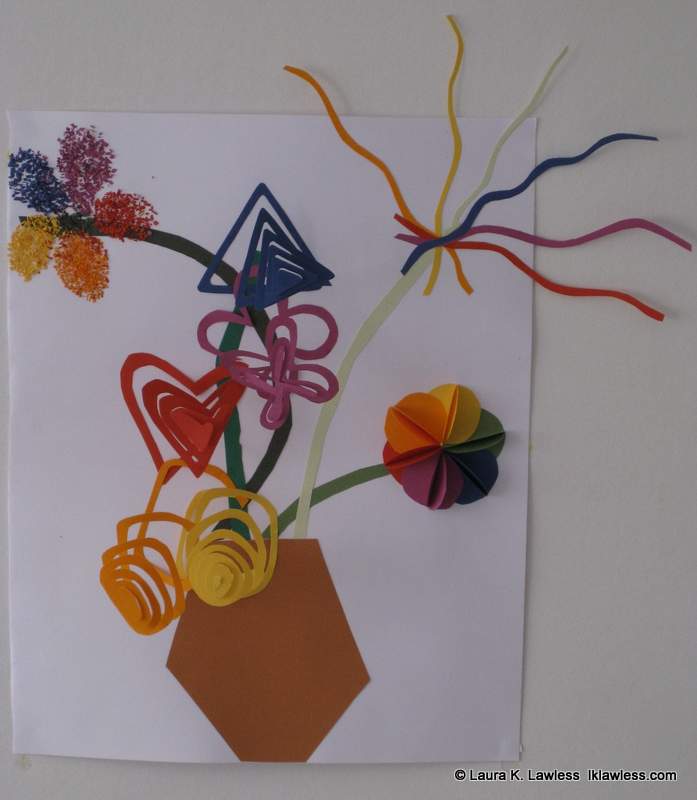 It’s hard to tell from the picture, but this flower collage is actually pasted on the ceiling. The flowers in the center are spiral, and when hanging from the wall they sort of drooped down it – not very interesting. I realized that they need to hang so that the basic shape created by the spiral was still more or less recognizable, and the only to do that was to hang them from the ceiling. Of course, gravity works its wonders and the collage falls down every couple of weeks, but you can’t have everything.
Guanajuato, Mexico
I happened across a photo gallery of Guanajuato, Mexico – what a colorful town! Why is it that most places have such a subdued palette for houses? Blue, grey, white, maybe yellow if they’re really daring. I love multi-colored buildings.
Cinq sœurs
I just finished watching the short-lived French series Cinq sœurs (Five Sisters), and I’m very disappointed. It was on 5 nights a week and was supposed to last for a year (260 episodes), but was cancelled after just 108. It wasn’t brilliant by any means, but it was interesting and it was also great for French listening practice, as there were a variety of formal and informal situations (though the verbs tutoyer and vouvoyer were used more than I’ve ever heard them in real life). Plus, it ended on a cliffhanger, with numerous characters in mortal danger. Very uncool! 🙁
Even better program for dual monitors
Edited: After using the program below for a while, a friend recommended an even better program: Ultramon. It does all the same stuff as the other, plus you can choose different wallpaper and screensavers for each monitor, and the second monitor’s taskbar is a lot more attractive.
Original post from 12 April 2008: I’ve been using the extended desktop / dual monitors for a couple of years, and this set up is so essential to the way I work I simply can’t imagine how I ever got by without it. However, it’s not without its little annoyances, such as the fact that certain programs refuse to open in the monitor I want, so every time I launch the program, I have to resize it, move it to the other monitor, and maximize it again. The other day I decided enough was enough, and started Googling stuff like dual monitor program default to see if there was some way to tell programs which monitor they should open in. No luck there, but I found something even better – a program that adds a little button to each program that you just click and the program moves to the other monitor. Not only that, but you can also choose to install a taskbar on the other monitor, so that only the windows displayed on monitor 1 are in the taskbar on monitor 1, and only the windows displayed on monitor 2 are in the taskbar on monitor 2. It’s so cool, and it’s free. I don’t think it works for Macs, but if you’re using the extended desktop on a PC, definitely check it out: MultiMonitor TaskBar